TABLE OF CONTENTS
Trending Minecraft Skins 2026: How to Find & Use Them
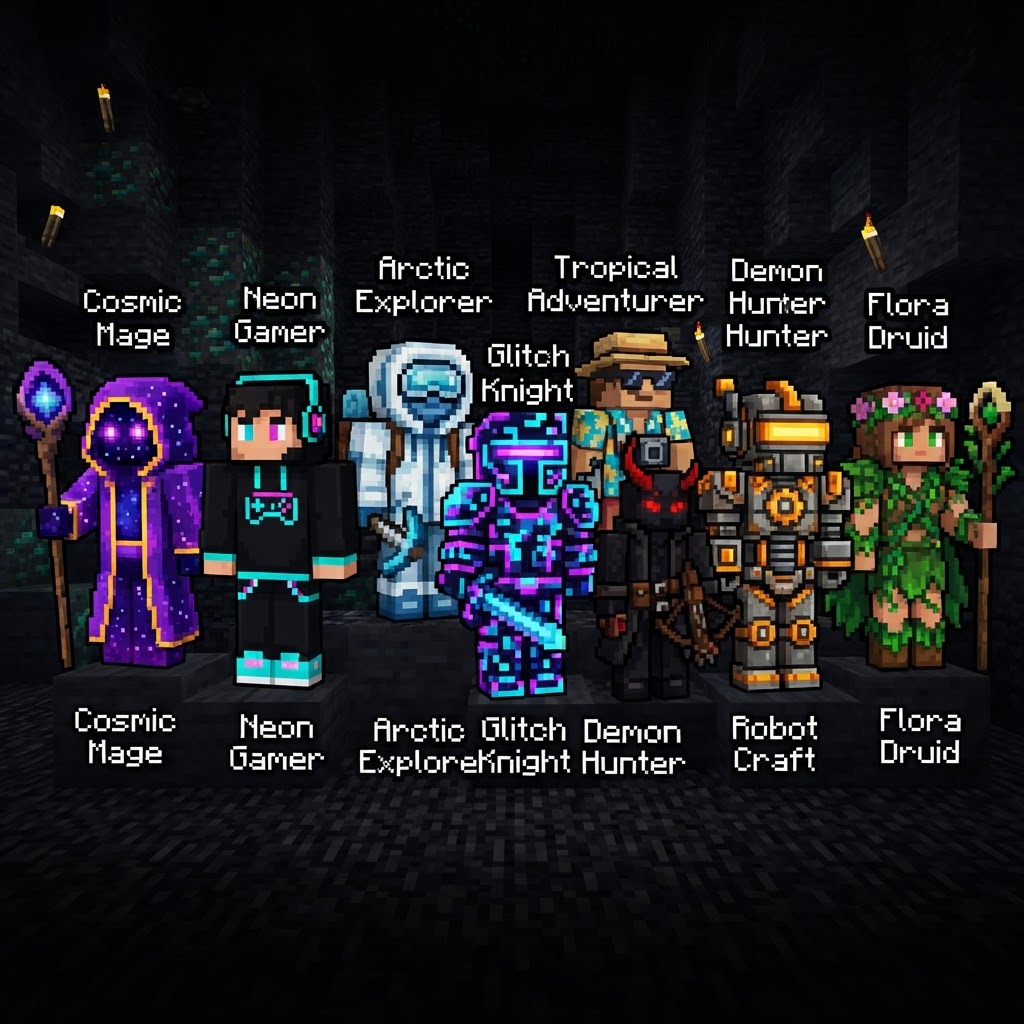
Trending Minecraft skins define how millions of players show up in-game, and in 2026 the meta has shifted hard toward cinematic aesthetics, crossover IP designs, and hyper-detailed pixel art. This guide covers where to find the best trending Minecraft skins right now, how to apply them across Java and Bedrock, and what tools let you customize or create your own from scratch.
Top Trending Minecraft Skins in 2026
The styles dominating servers, skin sites, and the Marketplace right now.
The aesthetic landscape has matured significantly. Forget the classic Steve recolors — 2026 players want narrative, detail, and cultural relevance baked into every 64×64 pixel grid.
Dominant style categories this year:
- Anime Crossover Skins — Demon Slayer, Jujutsu Kaisen, and Chainsaw Man character recreations are consistently topping download charts on NameMC and The Skindex. Nezuko, Gojo Satoru, and Denji skins routinely hit 50,000+ downloads within weeks of release.
- Dark Academia / Cottagecore — Layered cloaks, parchment tones, and botanical detail work. These dominate creative and roleplay servers.
- Cyberpunk & Neon Dystopia — High-contrast neon outlines on dark base layers. Popular on PvP servers where visual distinctiveness matters.
- Retro Pixel Art Callbacks — Skins styled to look like 8-bit or 16-bit game sprites. Undertale, Stardew Valley, and old-school RPG references.
- Real-Person Creator Skins — Dream, Technoblade tributes, and MrBeast-inspired designs remain culturally persistent two years running.
- Mob Hybrid Skins — Half-player, half-Enderman or half-Creeper designs. Popular on survival and faction servers for the aesthetic intimidation factor.
- Download your chosen skin as a `.png` file (64×64 or 64×32 pixels).
- Open your browser and navigate to minecraft.net/profile/skin.
- Sign in with your Microsoft account.
- Click "Browse" and select your downloaded `.png` file.
- Choose your model type: Classic (wide arms) or Slim (Alex-style narrow arms).
- Click "Save" — the skin propagates to all servers within 30–60 seconds.
- From the main menu, go to Settings → Profile.
- Select "Edit Character".
- Choose "Classic Skins" tab, then tap "Choose New Skin".
- Browse to your saved `.png` file on your device.
- Select arm style (Classic or Slim), then hit "Confirm".
- Blockbench (free, desktop) — The most powerful option. Supports full 3D preview, layer editing, and UV mapping. Used by professional texture artists and Marketplace creators. Download at blockbench.net.
- Nova Skin Editor (free, browser-based) — No install required. Solid layer support, a built-in gallery for reference, and real-time 3D preview. Best for intermediate users at novask.in.
- Skinseed (free/paid, mobile) — iOS and Android. The premium version ($2.99) unlocks layer tools and HD export. Best mobile option for on-the-go edits.
- Pick a single strong concept — not "cool character" but specifically "samurai enderman with glowing blue runes."
- Use Nova Skin to rough out the color blocking in under 20 minutes.
- Import into Blockbench for detail pass — use the overlay layer for shading, hair strands, and accessories.
- Export at 64×64, upload to Planet Minecraft with a clear thumbnail screenshot.
- Tag accurately: platform, style, character type. Bad tags kill discoverability.
- An anime, game, or film drops or goes viral on social media
- Minecraft content creators on YouTube or TikTok feature early skins within 48–72 hours
- Downloads spike on NameMC and Planet Minecraft 3–5 days after initial viral moment
- Saturation hits at roughly 2–3 weeks — dozens of variations flood every platform
- Twitter/X hashtag #MinecraftSkins
- TikTok search "Minecraft skin [show name]" filtered to "This Week"
- The r/Minecraft and r/MinecraftMemes subreddits — skin showcases here often precede formal uploads by days
Where to Find Trending Minecraft Skins in 2026
The five platforms worth your time, and what makes each one different.
Not all skin repositories are equal. Some are bloated with low-effort reposts; others are tightly curated communities. Here's the honest breakdown:
| Platform | Best For | Java Support | Bedrock Support | Free Skins | Cost |
| NameMC | Java trending & creator skins | ✅ | ❌ | ✅ | Free |
| The Skindex | Volume browsing, categories | ✅ | Limited | ✅ | Free |
| Planet Minecraft | Community-made, detailed designs | ✅ | ✅ | ✅ | Free |
| Minecraft Marketplace | Official Bedrock packs | ❌ | ✅ | Some | 0–1340 MC$ |
| Minecraftskins.com | Quick search, no account needed | ✅ | Limited | ✅ | Free |
NameMC remains the gold standard for Java players. Its profile linking feature means you can see exactly what skin a creator or server celebrity is wearing in real time — which is the fastest way to spot genuinely trending Minecraft skins before they flood other platforms.
Minecraft Marketplace is the only legitimate source for official licensed IP skins on Bedrock — Spider-Man, Sonic, and Guardians of the Galaxy packs have all dropped in the last 12 months. Expect 860–1340 Minecoins per premium pack.
How to Apply Skins on Java and Bedrock
The exact steps for both versions — they work completely differently.
This is where players consistently run into trouble. Java and Bedrock have separate skin systems that do not cross over by default.
Java Edition (1.21.4+)
Bedrock Edition (1.21.50+)
For console players (PS5, Xbox Series X), you must use the Dressing Room interface and are limited to Marketplace content or skins imported via the companion mobile app — direct `.png` upload is not available on console as of 2026.
Create Your Own Trending Minecraft Skin
Three tools that handle everything from beginner edits to pro-level custom work.
Downloading trending skins is fine — building one that actually trends is better. Custom skins set you apart and can earn real community clout on platforms like Planet Minecraft.
Best skin editors in 2026:
| Tool | Platform | Layer Support | 3D Preview | Best Skill Level |
| Blockbench | Desktop | ✅ Full | ✅ | Intermediate–Pro |
| Nova Skin | Browser | ✅ Partial | ✅ | Beginner–Intermediate |
| Skinseed | Mobile | ✅ (paid) | ✅ | Beginner–Intermediate |
Workflow for creating a skin that gets downloads:
Staying Ahead: How Skin Trends Actually Move in 2026
Where trends start, how fast they spread, and how to ride them before saturation.
Trending Minecraft skins don't emerge from the platforms themselves — they start outside Minecraft and migrate in. The pipeline in 2026 looks like this:
Trend origin cycle:
What this means practically: If you want to wear a trending skin at peak relevance, check NameMC's trending page within the first week of any major IP event. If you're a creator uploading skins, publish in the first 72 hours or you're competing with 40 nearly-identical versions.
Platforms to monitor for early signals:
Conclusion
Trending Minecraft skins in 2026 are sharper, more culturally specific, and more technically detailed than anything the community was producing three years ago. Whether you're downloading a Jujutsu Kaisen recreation from NameMC, picking up a licensed pack from the Bedrock Marketplace, or building your own original design in Blockbench, the process is faster and more accessible than ever. Apply your skin correctly for your edition, stay plugged into trend signals early, and don't underestimate how much a well-made original skin can do for your presence on any server. The meta keeps moving — now you know how to move with it.
| MCSkin3D | Desktop | ✅ Full | ✅ | Intermediate |
RELATED ARTICLES
Trending Minecraft Skins: How to Find, Download & Use Them
Trending Minecraft skins change faster than you'd think — what's dominating servers this week might be yesterday's news by next month. This guide covers exactly where to find trending Minecraft skins ...
Trending Minecraft Skins: How to Find, Install & Use Them
Trending Minecraft skins change fast, and knowing where to find the best ones — and how to install them correctly — saves you from wading through outdated tutorials and broken downloads. This guide co...
Trending Minecraft Skins in 2026: Find, Install & Use Them
Trending Minecraft skins define how millions of players express themselves in-game, and staying current means knowing where to find the best ones, how to install them correctly, and which styles are a...
STAY UPDATED
New blog posts, guides, and community tips delivered to your inbox.
No spam. Unsubscribe anytime.
Comments (0)
No comments yet. Be the first to share your thoughts!

