TABLE OF CONTENTS
Trending Minecraft Skins 2026: How to Find & Use Them
Trending Minecraft skins shift faster than you'd expect — what dominated Minecraft marketplaces in early 2025 looks dated by mid-2026. This guide breaks down exactly which skin styles are dominating right now, where to find them, and how to apply them whether you're on Java, Bedrock, or mobile. You'll leave with specific sources, tools, and techniques to keep your look current.
What Trending Minecraft Skins Look Like in 2026
The dominant aesthetics this year — and why they're winning
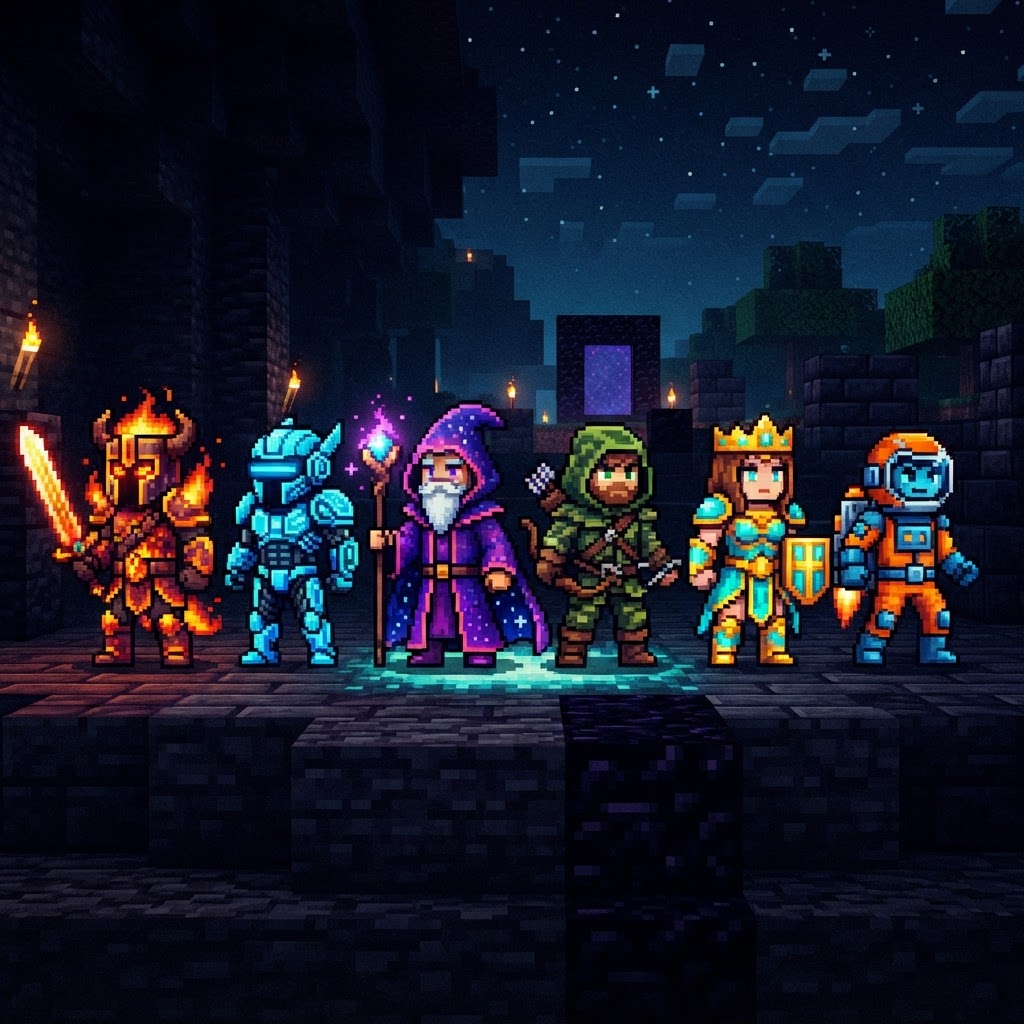
The skin meta in 2026 has consolidated around a few clear visual directions. If you want to blend in with the Minecraft elite — or deliberately stand out — knowing these trends is non-negotiable.
The dominant styles right now:
- Anime-inspired overlays — Specifically Demon Slayer and Jujutsu Kaisen character interpretations remain massive, with clean linework and bold color blocking
- Slim-arm "Alex model" aesthetics — Thinner silhouettes with layered hoodie textures and subtle shading are outperforming chunky Steve-model builds
- Cyberpunk / neon dystopian — Glowing circuit details, dark base layers, and accent colors like electric blue and acid green
- Y2K nostalgia skins — Low-fi, pixelated-on-purpose designs that lean into Minecraft's natural aesthetic instead of fighting it
- Mob hybrid skins — Enderman-human fusions, Creeper-hoodie designs, and Warden-inspired dark armor aesthetics remain consistently popular
- Cottagecore / soft aesthetic — Mushroom witches, forest elves, and pastel druid characters, popular especially on Hypixel Skyblock servers
- Download your chosen skin as a `.png` file (128×64 pixels standard, 64×64 also supported)
- Open the official Minecraft Launcher
- Click your profile icon in the top-right → select "Skins"
- Click "New Skin" → upload your `.png` file
- Select your model type: Classic (Steve) or Slim (Alex)
- Hit "Save & Use" — changes apply immediately to all Java servers
- From the main menu, tap your character icon (bottom-left on mobile, character creator on console)
- Navigate to "Classic Skins" tab inside the Character Creator
- Tap the "+" icon to import a custom skin
- Select your `.png` file from device storage
- Choose Steve or Alex model, then confirm
- PMCSkin3D (browser-based) — The most beginner-accessible 3D skin editor. Real-time 3D preview, layer support, and a template library. No download required.
- MCSkin3D (desktop, Windows) — More powerful than the browser version, better for detailed overlay work. Supports bulk export.
- Blockbench (browser + desktop) — Primarily a model tool but includes a skin painting mode that's excellent for precise pixel work
- Skinseed (iOS/Android) — Best mobile option. Has a community gallery and direct export to MCPE
- Adobe Photoshop / Procreate — If you already use these, grab a free Minecraft skin template (search "Minecraft skin template 128×64 PNG") and work directly. Full control, no limitations.
- Crackers0106 (Planet Minecraft) — Consistently high-quality anime-adjacent skins, particularly Naruto and Bleach-inspired work
- SuperMegaUltraGabeN (NameMC community) — Known for clean cyberpunk and sci-fi designs that hit trending weekly
- KristyMC — Cottagecore and soft aesthetic specialist; her mushroom witch series has over 80,000 combined downloads
- Darth Vader's Skin Shop (Minecraft Marketplace) — If you're on Bedrock and want polished packs, this creator's bundles are worth the 490 Minecoins
- Bookmark NameMC's trending page and check it once a week — 10 minutes gives you a complete picture
- Follow 2-3 skin creators on Planet Minecraft — their new uploads will appear in your feed automatically
- Watch the Minecraft subreddit's "Skins" flair — community upvotes surface quality faster than any algorithm
- Pay attention to update cycles — Mojang's major releases (1.22 announced for late 2026) almost always spawn trend waves in skin design matching new mobs or biomes
The common thread across all six trends: layered textures. Minecraft's second-layer skin feature (the "overlay" layer) is being used aggressively in 2026. Flat, single-layer skins read as outdated immediately.
Where to Find Trending Minecraft Skins in 2026
The specific platforms delivering the best content right now
Not all skin repositories are equal. Here's an honest breakdown of where the actual quality lives:
| Platform | Best For | Java Support | Bedrock Support | Free Tier |
| NameMC | Community browsing, trending filters | ✅ Yes | ❌ No | ✅ Full |
| The Skindex | Massive catalog, searchable tags | ✅ Yes | ❌ No | ✅ Full |
| Minecraft Marketplace | Curated packs, Bedrock native | ❌ No | ✅ Yes | ⚠️ Limited |
| Planet Minecraft | Creator-uploaded, high quality | ✅ Yes | ✅ Partial | ✅ Full |
| PMCSkin3D | Browser editor + browsing | ✅ Yes | ✅ Yes | ✅ Full |
| TikTok / Pinterest | Trend discovery, not downloads | N/A | N/A | ✅ Full |
NameMC is the single best source for tracking trending Minecraft skins in real time. Its "Most Viewed" and "Trending" filters update daily and reflect what actual players are wearing — not what a platform is promoting for monetization reasons.
Planet Minecraft is where serious skin artists post. Filter by "Recently Added" and sort by diamond count (their upvote system) to find quality work that hasn't been downloaded by half the server yet.
How to Apply Skins on Java and Bedrock
The process is different per platform — here's exactly what to do
Java Edition (1.21.x)
Bedrock Edition (1.21.x — including Pocket Edition / MCPE)
On Nintendo Switch, custom skin imports are not natively supported — you'll need to use the Minecraft Marketplace or a workaround via Bedrock's character creator cosmetics.
Customization Tools for Creating Your Own Trending Skins
Stop downloading — start building skins that are actually yours
If you want to ride a trend rather than follow it, build your own. These tools make it viable even without art experience:
The Y2K and pixel-art trend specifically is beginner-friendly to replicate. Work at 1:1 scale, limit your palette to 8-10 colors, and embrace the chunky pixel look instead of fighting it with anti-aliasing.
Community & Creator Skins Worth Following
The specific skin artists setting the trends, not following them
The trending Minecraft skins ecosystem has recognizable creators driving it. Following these names directly gives you early access to what becomes mainstream 3-6 months later:
On YouTube, channels like GeminiTay and SystemZee regularly showcase custom skins in their content, and their audience skin requests often reflect what's genuinely popular at ground level rather than what's being algorithmically pushed.
Server-specific trends also matter. Hypixel, CubeCraft, and Mineplex each have distinct skin cultures. Spending 20 minutes on a busy Hypixel lobby and noting what the highest-ranked players are wearing is one of the most reliable trend-spotting methods available.
Staying Current With Trending Minecraft Skins Long-Term
Trend cycles move fast — here's how to stay ahead without the daily grind
Minecraft's skin trends typically run in 3-4 month cycles, driven by game updates, popular media releases (a new anime season, a film drop), and streamer influence. The 2026 Warden-aesthetic spike happened almost entirely because of renewed hardcore survival content on Twitch in Q1.
Sustainable ways to track trends without obsessing:
The goal isn't to change your skin every week. It's to understand the landscape well enough to make deliberate choices — whether that's riding a trend, subverting one, or building something entirely your own.
Trending Minecraft skins in 2026 reward players who treat customization as a skill, not an afterthought. Use NameMC to spot trends, Planet Minecraft to find quality, PMCSkin3D to build your own, and apply everything through the official launcher. The cycle repeats every few months — now you know how to run with it.
RELATED ARTICLES
Trending Minecraft Skins: How to Find, Download & Use Them
Trending Minecraft skins change faster than you'd think — what's dominating servers this week might be yesterday's news by next month. This guide covers exactly where to find trending Minecraft skins ...
Trending Minecraft Skins: How to Find, Install & Use Them
Trending Minecraft skins change fast, and knowing where to find the best ones — and how to install them correctly — saves you from wading through outdated tutorials and broken downloads. This guide co...
Trending Minecraft Skins in 2026: Find, Install & Use Them
Trending Minecraft skins define how millions of players express themselves in-game, and staying current means knowing where to find the best ones, how to install them correctly, and which styles are a...
STAY UPDATED
New blog posts, guides, and community tips delivered to your inbox.
No spam. Unsubscribe anytime.
Comments (0)
No comments yet. Be the first to share your thoughts!

