TABLE OF CONTENTS
Minecraft Auto-Sorting Storage System: Advanced Redstone Guide
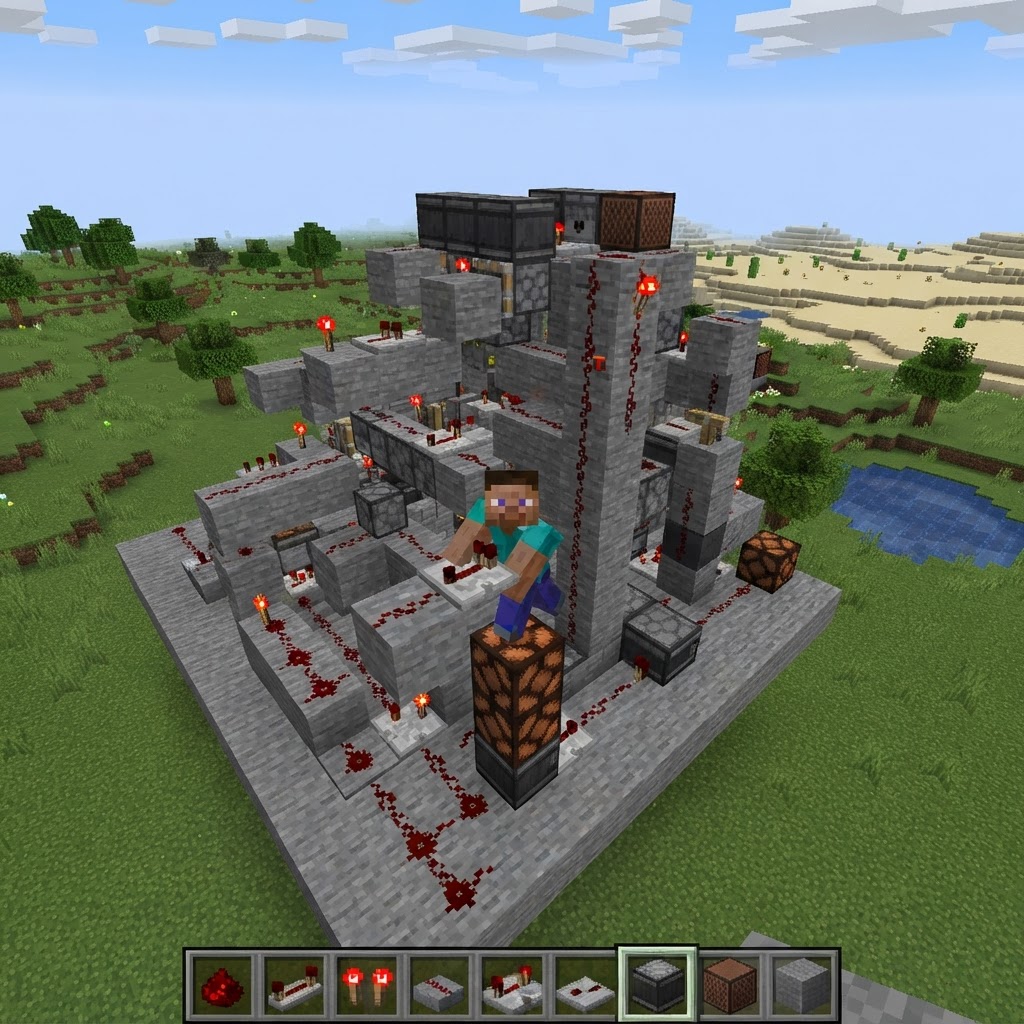
Building a reliable Minecraft auto sorting storage system is one of the most satisfying redstone projects in survival mode — and one of the most misunderstood. This guide covers everything from the core item filter mechanic to multi-chest overflow handling, giving you a fully functional, scalable system by the end.
How Minecraft Auto Sorting Storage Actually Works
Understanding the mechanics before you build saves hours of debugging.
Every auto-sorter relies on one fundamental mechanic: hoppers filter items by checking the contents of the chest they feed into. If a hopper is connected to a chest containing a named item stack, it will preferentially pull that item type. This is the backbone of every vanilla sorting system.
Here's the exact flow:
- Items drop into an input chest at the top of the system
- A hopper chain runs beneath the input, carrying items laterally
- At each filter station, five hoppers compare passing items against a pre-set filter chest
- Matching items get locked and redirected into the correct output chest
- Non-matching items continue down the chain to the next filter
- 5 hoppers
- 2 chests (filter chest + output chest)
- 1 comparator (for overflow detection, covered later)
- 20 filler items (any stackable, non-sorted item — cobblestone works)
- 1 target item (the item you're sorting)
- Place your output chest against a wall
- Place a hopper feeding into the output chest — this is your extraction hopper
- Place 4 hoppers feeding into the extraction hopper side by side, facing the same direction as your main hopper chain
- Place a small chest on top of each of the 4 filter hoppers — these are your filter chests
- In each filter chest, fill 4 slots with cobblestone stacks of 4 and place 1 target item in slot 5
- Lock each filter hopper with a redstone torch on an adjacent block so it only pulls when an item matches
- Ores & Raw Materials: Iron, Gold, Diamond, Emerald, Coal, Copper, Netherite Scrap
- Building Blocks: Stone, Cobblestone, Deepslate, Diorite, Andesite, Granite
- Wood Types: Oak, Spruce, Birch, Jungle, Acacia, Dark Oak, Mangrove (1 station per type)
- Food: Bread, Cooked Chicken, Cooked Beef, Carrots, Potatoes
- Redstone Components: Redstone Dust, Pistons, Observers, Comparators, Repeaters
- Mob Drops: Bones, String, Gunpowder, Rotten Flesh, Ender Pearls
- Place a comparator on the side of each output chest
- Run the comparator signal into a NOT gate (redstone torch on a block)
- Feed that inverted signal back to lock the filter hopper via redstone dust
- When the chest fills, the comparator outputs maximum signal, the NOT gate cuts power, and the hopper stops accepting new items
- Replace hopper chains with hopper minecarts on rails for the main transport trunk — they process items roughly 8× faster
- Use water streams to feed your input chest rather than walking items over manually
- Add a bulk trash can (lava pit with a hopper input) for items you never want — rotten flesh, gravel, etc.
- Keep hoppers in unloaded chunks disabled with persistent redstone locks — only activate the system when you're nearby
- Use chunk loaders sparingly and only on the input/output zones, not the entire hopper chain
- Consolidate small filter stations — if you have 5 separate "misc block" chests, merge them
- Check overflow chest — if it's filling fast, add a new filter station for the top items
- Verify filter hoppers are still locked correctly after any world updates
- Top up filler items in filter chests if any were accidentally sorted out
- Test the full chain with a stack of mixed items after any redstone edits
The critical limitation: each filter station costs 5 hoppers. Hoppers are expensive early-game (5 iron + 1 chest each), so plan your item categories before you build.
Building the Core Auto Sorting Storage Filter Station
This is the exact build sequence for a single working filter cell.
You'll need per filter station:
Step-by-step build:
The filter chests need exactly 4 cobblestone × 4 = 16 filler items plus 1 target item across the 4 filter hoppers. This leaves only one slot free per hopper — the slot your sorted item will occupy.
Scaling Your System: From 10 to 100+ Item Categories
A single filter cell means nothing — here's how to chain them into a full storage hall.
The standard layout is a straight hopper line running along the back wall of your storage room, with filter stations branching off every 2 blocks. Double-chest rows on either side give you visual organization and easy access.
Recommended category groupings to minimize filter stations:
For a full survival storage hall, expect 30–50 filter stations minimum. That's 150–250 hoppers. Start iron farming before you begin.
Overflow Prevention and Full-Chest Protection
A clogged sorter is worse than no sorter — build protection in from the start.
When an output chest fills up, items back up through the hopper chain and eventually jam your entire system. Here's how to prevent it:
Comparator-based chest full detection:
Items that can't be sorted will then pass to the end of the chain and fall into your overflow chest — a large double chest at the terminus of your hopper line.
| Scenario | Without Overflow Protection | With Overflow Protection |
| Output chest full | Entire system jams | Items route to overflow |
| Rare item with no filter | Lost or despawned | Caught by overflow chest |
| Power outage mid-sort | Items stuck in hoppers | System resumes cleanly |
Mod-Assisted Minecraft Auto Sorting Storage Options
Sometimes vanilla redstone isn't the right tool — here's when mods are worth it.
If you're playing modded Minecraft, several mods make auto-sorting trivial compared to vanilla redstone. Here's a direct comparison:
| High item volume | Backlog builds, lag increases | Flow regulated by comparators |
| Mod | Version Support | Sort Method | Performance Impact | Best For |
| Storage Drawers (1.19–1.21) | Fabric & Forge | Compacting drawers with auto-fill | Very Low | Simple, visual bulk storage |
| Refined Storage (1.20.1+) | Forge/NeoForge | Digital ME-style network | Medium | Large-scale full automation |
| Applied Energistics 2 (1.20.1+) | Fabric & Forge | ME network with autocrafting | Medium-High | Power users, full automation |
| Tom's Simple Storage Mod (1.19–1.21) | Fabric & Forge | Network with search terminal | Low | Lightweight RS alternative |
| Sophisticated Storage (1.20+) | Forge/NeoForge | Upgraded chests with filter slots | Very Low | Vanilla-adjacent players |
Storage Drawers is the best entry point for players who want organization without full network complexity. Pair it with the Drawer Controller block and a compacting drawer and you'll auto-sort 90% of your inventory in under 10 minutes of setup.
Applied Energistics 2 is the gold standard for full automation but has a steep learning curve — plan to spend time with its Inscriber and Crystal Growth setups before your storage comes online.
Final Optimization: Speed, Lag, and Long-Term Maintenance
A system that works on day one needs to still work on day 500.
Speed upgrades for vanilla systems:
Lag reduction:
Maintenance checklist (run monthly in-game):
A well-built Minecraft auto sorting storage system is essentially set-and-forget — but only if you built the overflow protection and comparator locks correctly from day one. Retrofit those two things onto any existing system and you'll eliminate 95% of sorting failures permanently.
RELATED ARTICLES

How to Make a Book in Minecraft: Easy Recipe & Uses
You're probably here because you just hit a wall — enchanting, writing, or crafting something advanced — and realized you need books but aren't sure how to get them efficiently. Books are one of Minec...
How to Make a Blast Furnace in Minecraft: Recipe & Uses
If you've been manually smelting ores one by one in a regular furnace, you're wasting serious time — the Minecraft blast furnace doubles your smelting speed for metals and ores, making it one of the m...
How to Make a Smoker in Minecraft: Recipe & Uses
If you're tired of waiting forever for your food to cook in a standard furnace, the smoker is the upgrade you didn't know you needed. It cooks food items at exactly twice the speed of a regular furnac...
STAY UPDATED
New blog posts, guides, and community tips delivered to your inbox.
No spam. Unsubscribe anytime.
Comments (0)
No comments yet. Be the first to share your thoughts!

