TABLE OF CONTENTS
How to Make a Loom in Minecraft: Complete Loom Guide
If you've ever tried to put a custom pattern on a banner and hit a wall trying to figure out the recipe, you're not alone — the loom is one of Minecraft's most underused crafting blocks, mostly because players don't realize how much creative control it gives them. Understanding how to make and use a loom properly means the difference between boring, plain banners and fully customized designs for your base, army, or kingdom. This guide goes beyond the basic recipe and gives you everything you need to actually get value out of this block.
What Is a Loom — and Why Should You Care?
Most players skip this block entirely, which is a mistake.
The loom is a utility block introduced in Java Edition 1.14 and Bedrock Edition 1.11 as part of the Village & Pillage update. Its sole job is to apply decorative patterns to banners — but "sole job" undersells it massively. Before the loom existed, applying banner patterns required memorizing up to a dozen obscure crafting table recipes using specific dye placements. The loom replaced all of that with a clean, visual interface that shows you exactly what your banner will look like before you commit.
Here's why this matters for your gameplay:
- Base building: Custom banners on your walls, gates, and rooms make your base feel alive and personalized.
- Faction and multiplayer servers: Unique banners function as visual identifiers — your guild's flag, your team's colors.
- Cartography and navigation: Banners placed on the map appear as markers. A custom-patterned one is easier to identify than a plain colored flag.
- Loom is also a job site block: It assigns the Shepherd villager profession, which means you can use it to create or reroll a Shepherd for trading wool, dyes, and paintings.
- 2 × Any Wood Planks (any type, including mixed)
- 2 × String
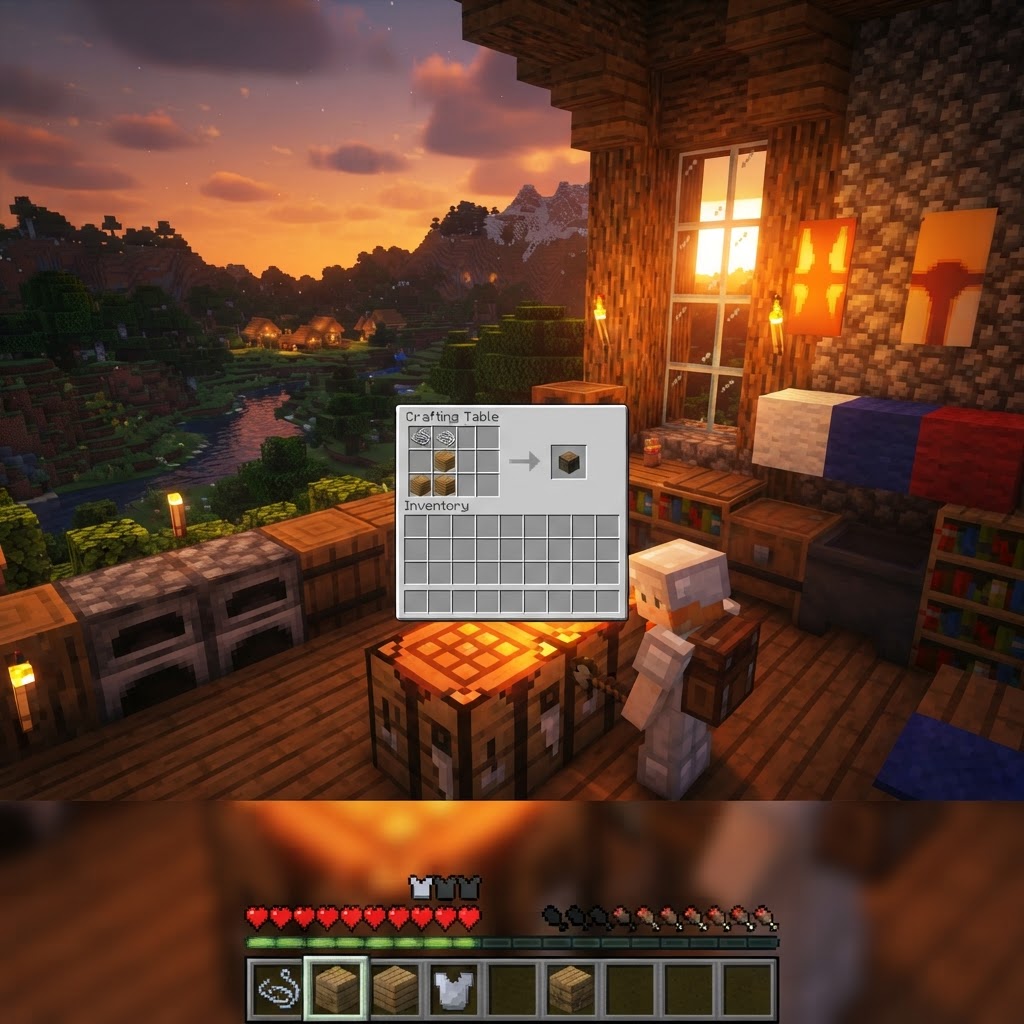
- Open your crafting table (3×3 grid).
- Place one String in the top-left slot and one String in the top-center slot.
- Place one Wood Plank in the middle-left slot and one Wood Plank in the middle-center slot.
- The Loom will appear in the result slot — drag it to your inventory.
- Banner Slot (top-left): Place your blank or already-patterned banner here.
- Dye Slot (top-center): Place whichever dye color you want the new pattern applied in.
- Banner Pattern Slot (top-right): This is OPTIONAL. Leave it empty for base patterns, or insert a special Banner Pattern item for premium designs.
- Stripe patterns (vertical, horizontal, diagonal)
- Cross, Saltire (X shape)
- Half patterns (top half, bottom half, left, right)
- Gradient
- Border, Bricks
- Flower, Creeper, Skull (these require pattern items — see below)
- Bonemeal on flowers for cheap yellow, red, blue, and white
- Cactus smelted for green dye
- Lapis Lazuli mined for blue dye
- Ink Sacs (squid drops) for black dye
- Shepherd villagers can trade large quantities of dyes directly
How to Craft a Loom: The Recipe
Two planks and two strings — that's genuinely all it takes.
The loom recipe is refreshingly simple, which is part of why it's strange that so many players don't have one. Here's exactly what you need:
Materials Required:
Crafting Steps:
The grid layout looks like this:
| Column 1 | Column 2 | Column 3 |
|---|---|---|
| String | String | — |
| Plank | Plank | — |
| — | — | — |
Where to get String fast: String drops from spiders (common at night or in caves), cobwebs (broken with shears or swords), or cat gifts in the morning. If you have a fishing rod, you can fish up string as a junk item. The easiest reliable early-game method is simply killing a few spiders near your base at night — three spiders will almost certainly drop the 2 string you need.
Finding a Loom Without Crafting It
If you're near a village, you might already have access to one.
You don't always have to craft a loom from scratch. Looms generate naturally inside Shepherd houses in villages. Since village generation varies by biome, here's a quick breakdown of where Shepherd houses appear:
| Biome | Village Type | Loom Availability |
|---|---|---|
| Plains | Plains Village | Yes — common |
| Desert | Desert Village | Yes — common |
| Savanna | Savanna Village | Yes — common |
| Taiga | Taiga Village | Yes — common |
| Snowy Tundra | Snowy Village | Yes — common |
| Sunflower Plains | Plains Village | Yes |
|---|---|---|
| Meadow | Meadow Village | Yes |
| Ocean/Jungle | No natural village | No loom found naturally |
Simply walk up to a loom in a village and right-click (Java) or tap (Bedrock) to use it — you don't need to own it to access the interface.
How to Use the Loom Interface
The visual pattern picker is the whole reason this block is worth using.
Once you open the loom, you'll see a three-slot input panel on the left and a large pattern selector below it. Here's what each slot does:
Below these slots is a scrollable grid of available pattern thumbnails. Click any one to preview it applied to your banner on the right side. When you're happy with it, click the result to confirm. The loom consumes one dye per pattern application, but the banner is not consumed — you can keep layering patterns up to six layers per banner.
Base Patterns Available Without Special Items (partial list):
Dyes, Special Patterns, and What Unlocks What
Knowing which patterns need extra items saves you hours of confusion.
Most patterns are available the moment you have a dye and a banner. However, six patterns are locked behind craftable or found Banner Pattern items. These are one-time-use paper-based items you insert into the loom's pattern slot.
| Pattern Name | Pattern Item Name | How to Get Pattern Item |
|---|---|---|
| Skull Charge | Skull Banner Pattern | Paper + Wither Skeleton Skull |
| Flower Charge | Flower Banner Pattern | Paper + Oxeye Daisy |
| Creeper Charge | Creeper Banner Pattern | Paper + Creeper Head |
| Globe | Globe Banner Pattern | Paper + Globe item (from cartographer trades) |
| Snout | Snout Banner Pattern | Found only in Bastion Remnant chests |
| Mojang Crest (Java only) | Thing Banner Pattern | Paper + Enchanted Golden Apple |
|---|
Dyes come from 16 color sources. The most efficient ways to build a dye stockpile:
Common Mistakes Players Make With Looms
These are the errors that waste your materials and ruin your banners.
1. Layering patterns in the wrong order.
Banner patterns stack on top of each other in the order applied. If you put a gradient at the top of your list, it covers everything. Plan your design from the bottom layer to the top before you start, especially since removing a layer requires you to start the banner fresh — there's no undo button.
2. Forgetting the six-layer limit.
You only get six pattern layers per banner. Players who go in without a design plan often waste layers on test patterns and end up with no room for the finish they wanted. Sketch your design on paper or use an online banner designer tool before you touch the loom.
3. Using the crafting table for banner patterns instead of the loom.
Old tutorials pre-1.14 show crafting table recipes for patterns. These are outdated. You will waste dyes trying to reproduce these patterns. Use the loom — it's faster, cheaper, and shows you a preview.
4. Treating the loom as a one-time-use block.
Many players craft the loom, use it once for a banner, and never touch it again. The loom is a permanent workstation worth placing in your crafting room.
5. Not assigning a Shepherd.
If you have a villager trading hall, a loom next to an unemployed villager will convert them into a Shepherd who trades wool, dyes, and paintings — genuinely useful for large dye operations.
Pro Strategies: Getting the Most Out of Your Loom
These are the habits that separate experienced banner designers from beginners.
Use an online banner generator first. Tools like planetminecraft's banner creator or needcoolshoes' banner editor let you design and preview full six-layer banners visually, then output the exact layer order. This eliminates the trial-and-error that burns through your dye supply.
Create banner "templates" for your faction. Design a base banner with your primary color and pattern, make 8–10 copies of it, then keep them on hand. When you need to mark a new location or decorate a new room, you already have your base ready for final detailing.
Use white banners as your base for maximum color accuracy. Applying colors over white gives you the truest representation of each dye color. Starting on a gray or colored banner changes how every subsequent pattern color appears.
Combine loom + cartography table for map marking. Place a custom banner in the world, then right-click it with a map in hand. The banner appears as a labeled marker on that map. For survival worlds with large explored territories, color-coded custom banners are genuinely the best navigation system available.
Farm Shepherd villagers for unlimited dyes. Lock a Shepherd at Journeyman or Expert level — many of them trade 12 dyes for an emerald, which you can then flip back into banner materials. In a well-optimized village, you can maintain a virtually unlimited dye supply.
Conclusion: The Loom Is Worth Building Permanently
The loom is one of Minecraft's most underrated crafting blocks — cheap to make, easy to access in villages, and capable of producing genuinely impressive banner designs when you understand how layering works. The core recipe is just 2 string and 2 planks, but the real value is in the interface: a visual, scrollable pattern selector that replaces an entire library of confusing crafting table recipes.
The key takeaways: craft your loom early and keep it in your base, plan your banner layers before you start (you only get six), know which patterns require special Banner Pattern items, and use the Shepherd job site assignment to fuel your dye supply. Whether you're decorating a solo survival base or building a faction identity on a multiplayer server, the loom gives you creative tools most players never bother to unlock.
RELATED ARTICLES

How to Make a Book in Minecraft: Easy Recipe & Uses
You're probably here because you just hit a wall — enchanting, writing, or crafting something advanced — and realized you need books but aren't sure how to get them efficiently. Books are one of Minec...
How to Make a Blast Furnace in Minecraft: Recipe & Uses
If you've been manually smelting ores one by one in a regular furnace, you're wasting serious time — the Minecraft blast furnace doubles your smelting speed for metals and ores, making it one of the m...
How to Make a Smoker in Minecraft: Recipe & Uses
If you're tired of waiting forever for your food to cook in a standard furnace, the smoker is the upgrade you didn't know you needed. It cooks food items at exactly twice the speed of a regular furnac...
STAY UPDATED
New blog posts, guides, and community tips delivered to your inbox.
No spam. Unsubscribe anytime.
Comments (0)
No comments yet. Be the first to share your thoughts!

