TABLE OF CONTENTS
Smithing Table Guide: How to Make One in Minecraft
If you've reached the point in Minecraft where diamond gear feels like the ceiling, the smithing table is your ticket through that wall. Most players craft one in thirty seconds and immediately hit a wall of confusion — wrong materials, missing templates, or no idea what netherite actually requires. This guide cuts through all of it, giving you everything from the basic craft to advanced upgrade strategies so you leave with a fully working smithing table and the knowledge to use it properly.
What a Smithing Table Actually Does (And Why You Need One)
Understanding the purpose first saves you from crafting it at the wrong stage of the game.
The smithing table serves two distinct functions, and most players only know about one of them. First, it's the dedicated workstation for upgrading diamond gear to netherite — the strongest tier in the game. Second, it acts as a job site block for Toolsmith villagers, which has its own set of economic advantages most players ignore entirely.
Here's why this matters for your session: if you're trying to upgrade diamond tools or armor without a smithing table, you simply cannot do it. There's no alternative path. The upgrade requires this specific block, a netherite upgrade smithing template, netherite ingots, and your diamond item. Miss any one of those and the process fails.
The smithing table was reworked significantly in Java Edition 1.20 and Bedrock Edition 1.20 (the Trails & Tales update). Before that update, the process was simpler but less flexible. After it, smithing templates were introduced, adding complexity but also allowing armor trims — purely cosmetic but genuinely impressive customization that veteran players use to make their gear visually distinct.
What the smithing table does at a glance:
- Upgrades diamond gear to netherite gear (preserving enchantments)
- Applies armor trims using smithing templates and various materials
- Converts a villager into a Toolsmith when placed nearby
- Acts as a decorative block with a functional wood-and-iron aesthetic
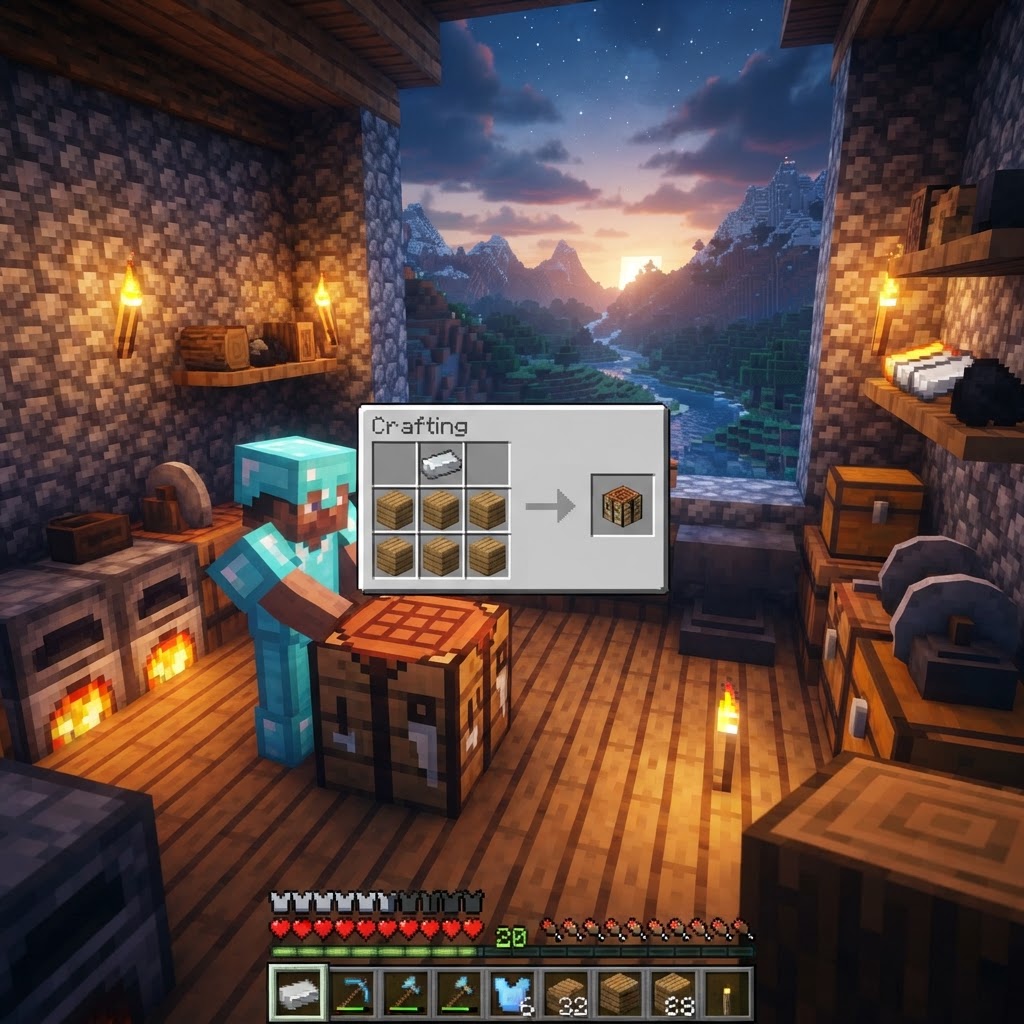
- Open your crafting table (3x3 grid — a regular inventory grid won't work)
- Place one iron ingot in the top-left slot (Row 1, Column 1)
- Place one iron ingot in the top-middle slot (Row 1, Column 2)
- Place one wooden plank in the middle-left slot (Row 2, Column 1)
- Place one wooden plank in the middle-center slot (Row 2, Column 2)
- Place one wooden plank in the bottom-left slot (Row 3, Column 1)
- Place one wooden plank in the bottom-center slot (Row 3, Column 2)
- Drag the smithing table from the output slot into your inventory
- Netherite Upgrade Smithing Template — found in bastion remnant chests (approximately 10% chance per chest)
- Diamond item — the tool or armor piece you want to upgrade
- Netherite Ingot — crafted from 4 netherite scraps + 4 gold ingots
- 16 smithing templates exist for trim patterns, each found in specific structures
- 10 trim materials are available, each producing a different color overlay
- Trims do not affect stats — purely visual
- Amethyst shard → Purple
- Quartz → Off-white
- Gold ingot → Gold
- Emerald → Green
- Netherite ingot → Dark/matte black
How to Craft a Smithing Table: Step-by-Step
The recipe is simple — but knowing exactly what to gather first saves multiple trips.
Materials You Need
| Material | Quantity | Where to Get It |
|---|---|---|
| Iron Ingots | 2 | Smelt iron ore in a furnace |
| Any Wooden Planks | 4 | Craft from any log type |
That's it. Two iron ingots and four planks of any wood type — oak, spruce, birch, jungle, acacia, dark oak, mangrove, cherry, or bamboo all work. You do not need matching planks. Mix and match freely.
Crafting Grid Layout
The two iron ingots sit side by side across the top two columns. The four planks fill the two left columns of rows two and three. The right column stays completely empty. If your smithing table isn't appearing in the output slot, recheck — even one misplaced material breaks the recipe.
Finding a Smithing Table vs. Crafting One
Sometimes the fastest path to a smithing table isn't the crafting table at all.
Comparison: Finding vs. Crafting
| Method | Speed | Cost | Best For |
|---|---|---|---|
| Craft at workbench | Fast (if you have iron) | 2 iron + 4 planks | Mid-game players with basic resources |
| Loot from village | Very fast (if near village) | Free | Early game, spawn near a village |
| Convert villager job site | Indirect | 1 smithing table placed | Trading economy builders |
| Buy from Toolsmith villager | Varies | Emeralds | Never — they don't sell the table itself |
Villages generate smithing tables in toolsmith houses, which are recognizable by their grindstone and anvil presence as well. The toolsmith house biome variants include plains, savanna, desert, and snowy plains villages. If you break the smithing table that's already there, the villager loses their job and becomes unemployed — so grab it freely if you're not interested in their trades, or leave it if you want to use them for trading later.
Using the Smithing Table: Upgrades and Trims
This is where the real value is — most guides stop at crafting, but the usage is what you actually need to know.
Upgrading Diamond to Netherite
The upgrade process requires three inputs simultaneously:
Place all three in the smithing table interface from left to right: template slot, item slot, material slot. The output appears on the right. The upgraded item keeps all enchantments from the diamond version — this is critical. You're not losing your Efficiency V pickaxe; you're making it strictly better.
Applying Armor Trims
Armor trims are cosmetic overlays that change the visual appearance of your armor using different pattern templates and material colors. As of 1.20:
Popular trim material colors:
Java vs. Bedrock: Key Differences to Know
The smithing table behaves differently depending on your platform — here's what actually matters.
| Feature | Java Edition | Bedrock Edition |
|---|---|---|
| Smithing templates required | Yes (since 1.20) | Yes (since 1.20) |
| Armor trim support | Full (1.20+) | Full (1.20+) |
| Toolsmith villager mechanic | Yes | Yes |
| Pre-1.20 upgrade method | No template needed | No template needed |
| Recipe differences | None | None |
| Finding in villages | Yes | Yes |
|---|
If you're playing on a version before 1.20, the upgrade process was simpler: smithing table + diamond item + netherite ingot, no template required. The template system was introduced specifically with the Trails & Tales update. If your server or world is running an older version and you can't find a template slot in the interface, that's why.
Common Mistakes Players Make with the Smithing Table
These are the actual problems players post about — here's how to avoid every one of them.
Mistake 1: Using a 2x2 crafting grid
The smithing table recipe requires a 3x3 crafting table. Your personal inventory crafting grid is 2x2 and won't display the recipe at all. Players new to the game often try the inventory first, see nothing, and assume they have the wrong materials.
Mistake 2: Forgetting the netherite upgrade template
Post-1.20, the single most common complaint is "the smithing table won't let me upgrade." The template slot is the leftmost input. Without a netherite upgrade smithing template placed there, the output slot stays empty regardless of what else you put in.
Mistake 3: Trying to repair items at the smithing table
The smithing table cannot repair item durability. Take your damaged netherite pickaxe to an anvil and combine it with another netherite ingot, or use the grindstone (which strips enchantments) if you want a clean slate.
Mistake 4: Breaking the village smithing table without checking villager trades first
As noted above — once you break the block, the villager loses their profession. If they were a master Toolsmith with good trades, you've permanently lost access to those specific trade levels.
Mistake 5: Assuming any wooden planks in the recipe have to match
They don't. A smithing table using two oak and two spruce planks works identically to one using four of the same type. Don't delay crafting just because you only have mixed wood.
Pro Strategies: Getting More Value From Your Smithing Table
Once you have the basics, these approaches separate efficient players from ones who waste resources.
Strategy 1: Farm bastion remnants systematically for templates
The netherite upgrade template only appears in bastion remnants. Each bastion has multiple chests, and the template has roughly a 10% drop chance per eligible chest. Run multiple bastions rather than obsessively looting one. Bring a looting-enchanted sword and fire resistance potions — the Piglins and Piglin Brutes in bastions are the real obstacle.
Strategy 2: Duplicate smithing templates before using them
Smithing templates are consumed on use when applying armor trims (the netherite upgrade template is also consumed per upgrade). You can duplicate templates using a crafting table: place the template in the center, surround it with 7 diamonds, and add the specific material associated with that template. This is essential if you want matching trims on a full set of armor.
Strategy 3: Use the Toolsmith villager pipeline for efficiency
Place your smithing table near an unemployed villager to create a Toolsmith. Level them up through trading and they'll eventually offer enchanted diamond tools at competitive emerald prices. This gives you a renewable source of strong diamond gear to then upgrade at your smithing table — a full pipeline from villager to netherite.
Strategy 4: Upgrade enchanted diamond gear, not plain diamond
Never upgrade a fresh, unenchanted diamond item to netherite if you can avoid it. Enchant first, upgrade second. The upgrade preserves every enchantment, and enchanting diamond gear is cheaper in XP levels than enchanting netherite directly (because netherite has a higher enchantability penalty on the table). Enchant at diamond tier, then convert.
Strategy 5: Keep a second smithing table as a dedicated trim station
If you're deep into armor customization, keeping one smithing table for netherite upgrades and one for trim application keeps your workflow organized and prevents accidentally using the wrong template on an upgrade slot.
Conclusion: The Smithing Table Is a Mid-to-Late Game Essential
The smithing table is deceptively simple to craft — two iron ingots and four planks — but its role in your progression is anything but trivial. It's the only path to netherite, the only way to apply armor trims, and a valuable job site block for one of the most useful villager professions in the game.
The three things to walk away with: craft it at a crafting table (not your inventory), always have a netherite upgrade template before attempting gear upgrades post-1.20, and enchant your diamond gear before upgrading rather than after. Do those three things right and you've already avoided the mistakes that frustrate most players trying to push into endgame progression.
RELATED ARTICLES

How to Make a Book in Minecraft: Easy Recipe & Uses
You're probably here because you just hit a wall — enchanting, writing, or crafting something advanced — and realized you need books but aren't sure how to get them efficiently. Books are one of Minec...
How to Make a Blast Furnace in Minecraft: Recipe & Uses
If you've been manually smelting ores one by one in a regular furnace, you're wasting serious time — the Minecraft blast furnace doubles your smelting speed for metals and ores, making it one of the m...
How to Make a Smoker in Minecraft: Recipe & Uses
If you're tired of waiting forever for your food to cook in a standard furnace, the smoker is the upgrade you didn't know you needed. It cooks food items at exactly twice the speed of a regular furnac...
STAY UPDATED
New blog posts, guides, and community tips delivered to your inbox.
No spam. Unsubscribe anytime.
Comments (0)
No comments yet. Be the first to share your thoughts!

