
TABLE OF CONTENTS
Master Redstone: Advanced Auto-Sorting System Guide
If you've ever spent twenty minutes rummaging through disorganized chests looking for a single piece of iron ore, you already know exactly why mastering an auto sorting system is one of the most rewarding projects you can tackle in Minecraft. Seriously, the moment your first fully automated storage network clicks into place and starts routing items perfectly into labeled chests without any input from you, it feels like pure magic. Whether you're a seasoned redstone engineer or someone who's just starting to wrap their head around hoppers and comparators, this guide is going to walk you through everything you need to build a genuinely powerful, expandable auto sorting system that will transform your survival world or server base forever. Let's dig in.
Why Every Serious Minecraft Player Needs an Auto Sorting System
Let's be honest — storage management is the unglamorous backbone of every great Minecraft base. You can have the most beautiful mountain fortress or the most elaborate underground bunker imaginable, but if your storage room is a chaotic pile of randomly filled chests, you're constantly losing time and momentum. Every time you come back from a mining trip with a full inventory, you're manually sorting cobblestone from coal from copper ore from deepslate. It's tedious, it's slow, and it pulls you away from the parts of the game you actually love.
Related reading: Compact 1-Chunk Auto-Sorter: Advanced Redstone Guide, Compact 1-Chunk Auto-Farm Base — Advanced Redstone, Ultimate Zero-Lag Redstone Storage for Survival Worlds
An auto sorting system solves all of that elegantly. Instead of manually placing items, you dump everything into a single input chest and the system does the rest — routing iron to the iron chest, diamonds to the diamond chest, dirt to wherever you've decided dirt belongs (probably nowhere, honestly). The time savings compound dramatically. Over the course of a long survival playthrough, a well-built auto sorting system saves you hours of inventory management so you can spend that time exploring, building, fighting, or doing literally anything else you'd rather be doing.
Beyond pure efficiency, there's something deeply satisfying about the engineering itself. Building an auto sorting system pushes you to really understand how hoppers interact with comparators, how item filters work, and how redstone signals propagate through your builds. It's one of those projects that genuinely teaches you the game's deeper mechanics in a hands-on, rewarding way.
The Core Mechanics You Need to Understand First
Before we start slapping hoppers down everywhere, let's make sure we're on the same page about the fundamental mechanics that make any auto sorting system function. Understanding these concepts will help you troubleshoot problems and design your own variations later.
Hoppers are the backbone of item transportation in Minecraft. They pull items from containers directly above them (including other hoppers) and push items into containers or blocks they're pointing toward. A hopper processes one item every four game ticks — roughly 0.2 seconds — when it's active. You can also lock a hopper using a redstone signal, which stops it from moving items at all. This locking mechanism is absolutely critical for sorting.
Comparators are the brains of the operation. A comparator pointed away from a container outputs a redstone signal whose strength corresponds to how full that container is. An empty chest outputs signal strength 0, and a completely full chest outputs signal strength 15. We use this property to detect specific items in a filter hopper.
Item Filters work by exploiting a clever behavior: when a hopper is completely full of items — meaning all five slots contain items — it can only accept items that already exist within it. If you fill four slots of a hopper with a filler item (like nether brick, which is a good choice because nobody accidentally collects it) and put the item you want to filter in the fifth slot, the filter hopper will only accept that specific item from the item stream above it.
Understanding these three concepts gives you the foundation for everything that follows.
Gathering Your Materials: What You'll Need
Before you start building, let's talk materials. The exact quantities depend on how large you want your system to be, but here's a solid baseline for a 20-category sorting system — which is a great starting size that covers most survival needs without being overwhelming to build.
For a 20-category system, you'll want to gather approximately:
- 200+ Hoppers — yes, this is a lot of iron, so start smelting early
- 40 Chests (or more, depending on how much storage you want per category)
- 20 Comparators — requires nether quartz, so make a nether trip if you haven't already
- 20 Repeaters
- Redstone Dust — gather at least a few stacks
- Building Blocks — any solid block works; glazed terracotta looks great in storage rooms
- Nether Brick (or another junk item) — for filling filter hoppers
- Item Labels — if you're on a server or want visual clarity, item frames with samples of each sorted item work beautifully
One practical tip: start collecting hoppers early in your playthrough. Each hopper costs five iron ingots and a chest. That iron investment is significant, which is exactly why having an auto sorting system running sooner rather than later pays dividends — you'll be generating iron far more efficiently once your storage and mining operations are organized.
Choosing the Right Location and Layout
Location matters more than most players realize when planning an auto sorting system. Here are the key considerations:
Accessibility: Your input chest should be somewhere convenient — ideally right at your base entrance or near your furnace room so you can dump your inventory immediately when you return from any expedition.
Expandability: Leave room to grow. The worst feeling is building a perfect 20-slot sorting system and then discovering a new biome that gives you 15 new item types you want to sort. Build with expansion in mind from day one.
Verticality: Auto sorting systems work best when designed vertically. Items fall downward naturally, and gravity-assisted hopper chains are both faster and more resource-efficient than horizontal ones. Consider building your sorted chests in a long wall arrangement with hoppers running along the back side.
Chunk Loading: If you're on a server or have a large enough world, make sure your sorting system is in a consistently loaded chunk. Nothing is more frustrating than coming home to find everything backed up because your system stopped running.
The classic layout that most experienced players recommend is a double-chest wall design: a row of double chests visible from the front, with a hidden hopper pipeline running behind them. The top of the pipeline connects to your main input hopper at the top, and items cascade downward, passing each filter station until they find their designated chest. It's elegant, efficient, and genuinely looks impressive when done well.
Step-by-Step: Building Your First Auto Sorting System
Now let's actually build this thing. We'll construct a single filter station first, then you'll repeat the pattern for as many categories as you want.
Step 1: Place Your Output Chest
Start by placing a double chest where you want your first sorted category to live. Let's say this chest will hold all your cobblestone.
Step 2: Place a Hopper Feeding Into the Chest
Place one hopper pointing into the side of that chest. This is your output hopper — items that survive the filter will land here and get pushed into the chest.
Step 3: Build Your Filter Hopper
Place a second hopper on top of the first output hopper. This is your filter hopper. Fill four of its five slots completely with nether brick (or whatever filler item you've chosen — consistency matters, use the same filler throughout your whole system). In the fifth slot, place one piece of cobblestone. Now this filter hopper will only accept cobblestone from whatever is above it.
Step 4: Set Up the Comparator Detection
Place a comparator pointing away from your filter hopper. Because the filter hopper is almost completely full (four full stacks of nether brick, one cobblestone), the comparator will output a strong signal. Wire this signal back to lock the hopper below your filter hopper using a torch inverter or a basic NOT gate — the exact wiring depends on your layout, but the principle is that when the filter hopper has the right item, it allows it to pass through; otherwise, the output hopper stays locked.
Actually, let me describe the simpler version that most beginners should start with, which uses a slightly different but more beginner-friendly locking mechanism:
Place your filter hopper. Instead of the comparator trick, lock the hopper below it by default using a redstone signal, and use the comparator output from the filter hopper to unlock it only when the correct item is present. This means items only drop into the output hopper when there's a match, and everything else keeps flowing down the main pipeline to the next filter station.
Step 5: Continue the Pipeline
Connect another hopper above your filter hopper, feeding items down from above. This hopper is part of your main vertical pipeline. Items that don't match cobblestone will flow through this hopper, past the filter station, and continue downward to the next filter below.
Step 6: Repeat for Every Category
Stack this same filter station design vertically for every category you want to sort. Cobblestone filter, then coal filter, then iron filter, then wood filter — whatever order makes sense to you. Items cascade down until they find their matching filter and get routed into the appropriate chest.
Step 7: Add an Overflow Chest
At the very bottom of your pipeline, always add an overflow double chest with a hopper that accepts everything. This catches any items that don't have a designated filter — which will inevitably include things you forgot to account for. Without this, items will back up in your pipeline and cause the whole system to jam.
Step 8: Build Your Input Station
At the very top of your pipeline, place an input chest with a hopper pointing downward into the top of your pipeline. This is the chest you'll dump your inventory into every time you come home. One chest, infinite sorted storage — that's the dream, and now it's real.
Advanced Upgrades and Optimization Tips
Once your basic auto sorting system is running smoothly, there's a whole world of upgrades and optimizations to explore. This is where redstone engineering really gets exciting.
Overflow Protection: If any single category chest fills up completely, items will back up into the pipeline and eventually cause a jam. Add a comparator on each output chest that detects when it's full, and route that signal to lock the corresponding filter station. Now full chests automatically stop accepting items and let them flow to an overflow or alert system instead.
Bulk Item Handling: Items like cobblestone, dirt, and gravel tend to accumulate in enormous quantities. Consider giving these items double or triple the normal storage allocation — three or four double chests per category instead of one. A little planning here saves you from constant overflow headaches.
Multiple Input Points: For large bases, especially on servers, you might want input chests in multiple locations — near your furnaces, at your base entrance, and at your farm collection points. You can connect multiple input points to the same pipeline using hopper chains or by running parallel pipelines that merge at the top.
Item Elevator Integration: If your storage room is underground and your input is at surface level, use a bubble column elevator or a hopper-minecart elevator to bring items down (or up) to your sorting system entrance. This keeps your base layout flexible without sacrificing efficiency.
Sorting Speed Enhancement: Standard hoppers have a transfer rate of one item per four game ticks, which is adequate but not blazing fast for large inventory dumps. Using hopper minecarts — which move items significantly faster — in certain parts of your pipeline can dramatically increase throughput for high-traffic sections.
Connecting Your Auto Sorting System to Farms
One of the most powerful applications of a well-designed auto sorting system is connecting it directly to your automated farms. Mob farms, crop farms, and tree farms all generate massive quantities of items continuously. Without automated sorting, these farms quickly overflow their storage and either jam up or waste drops.
Running a hopper chain from the output collection point of your mob farm directly into the top of your sorting pipeline means every sword drop, bone, and string gets sorted and stored automatically, 24/7, without any input from you. Connect your crop farm outputs the same way and your food storage essentially manages itself.
This integration is where your auto sorting system stops being just a convenient feature and becomes a genuinely transformative part of your whole Minecraft operation. It's the difference between a good base and a great one.
Common Mistakes and How to Fix Them
Even experienced builders run into problems with their sorting systems. Here are the most common issues and their solutions:
The Pipeline Jams: This almost always means a chest somewhere is full. Check your overflow chest first — if it's full, that's your culprit. Implement the overflow protection system described above and regularly clear your overflow.
Items Aren't Sorting to the Right Chest: Double-check your filter hoppers. The filler material must fill exactly four slots completely (not just partially), and your filter item must be present in the fifth slot. Even one misplaced item in a filter hopper will cause sorting failures.
The System is Too Slow: If items are pooling in your input chest faster than the system can process them, you may need to add parallel pipeline tracks. Running two or three vertical pipelines side by side and alternating input between them effectively triples your sorting throughput.
Filter Hoppers Are Leaking Wrong Items: This typically happens when your comparator output isn't strong enough to properly lock hoppers, or your redstone wiring has a timing issue. Add repeaters to strengthen signals and ensure consistent timing throughout your locking circuit.
Items Disappearing: Check for hopper orientation errors. A hopper pointing the wrong direction will dump items into the air or into an unintended container. Each hopper should point explicitly toward its intended destination.
Showcasing Your Build: Join the Community
Building a great auto sorting system is genuinely worth showing off, and the Minecraft community absolutely loves seeing creative engineering solutions. Screenshot your storage room, record a tour video, or write up your own variation guide. Sorting system designs vary enormously — some players go for absolute minimum resource use, others build elaborate glass-tube designs where you can visually watch items traveling through the system.
Share your builds in our community forums and Discord. Ask questions when you're stuck — we guarantee someone here has hit the exact same snag and figured out a clever solution. Comment below with your favorite sorting tips, your most satisfying sorting system moment, or the most absurd number of categories you've ever sorted. The collective knowledge in this community is genuinely incredible.
If you want to take things even further, look into storage mods like Applied Energistics 2 or Refined Storage for a completely different approach to automated item management — though honestly, there's something special and uniquely satisfying about the vanilla hopper-and-comparator approach that no mod has quite replicated.
Wrapping Up: Your Journey to the Perfect Auto Sorting System
Building a comprehensive auto sorting system in Minecraft is one of those projects that fundamentally changes how you play the game. The upfront investment in iron, time, and mental energy pays back dividends that compound for the entire rest of your playthrough. You'll move faster, think more clearly, and spend your time on the things that actually excite you rather than digging through disorganized chests.
Start small if the full system feels overwhelming — even a five or ten category sorter is dramatically better than no sorter at all, and you can expand it piece by piece as your confidence and iron supply grow. The beautiful thing about this design is that it's fundamentally modular. Every filter station you add is the same pattern, just repeated and stacked.
Master the fundamentals we covered here — hopper locking, item filtering, comparator detection, overflow protection — and you'll have everything you need to design and troubleshoot your own custom variations. That's really where the fun is: taking the core concepts and making them your own.
Now go build something amazing. Your storage room is waiting, and that cobblestone isn't going to sort itself.
RELATED ARTICLES

How to Make a Book in Minecraft: Easy Recipe & Uses
You're probably here because you just hit a wall — enchanting, writing, or crafting something advanced — and realized you need books but aren't sure how to get them efficiently. Books are one of Minec...

Featured Minecraft Modpack: Create a World of Industry
If you're ready to transform Minecraft into a fully mechanized industrial playground, this Create modpack guide covers everything you need. You'll learn what makes Create-based modpacks stand out, whi...
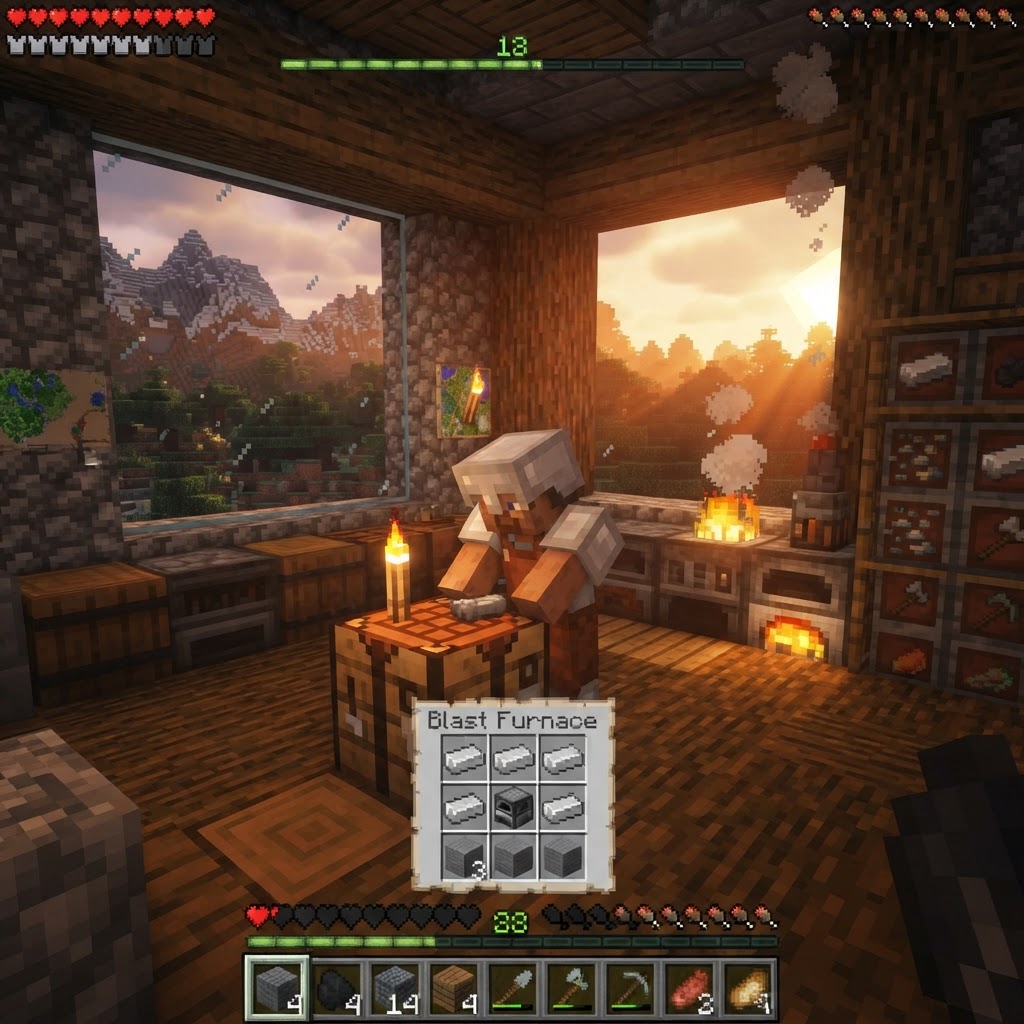
How to Make a Blast Furnace in Minecraft: Recipe & Uses
If you've been manually smelting ores one by one in a regular furnace, you're wasting serious time — the Minecraft blast furnace doubles your smelting speed for metals and ores, making it one of the m...
STAY UPDATED
New blog posts, guides, and community tips delivered to your inbox.
No spam. Unsubscribe anytime.
Comments (0)
No comments yet. Be the first to share your thoughts!

