TABLE OF CONTENTS
Build the Ultimate Chunk-Safe Item Sorter (No Mods)
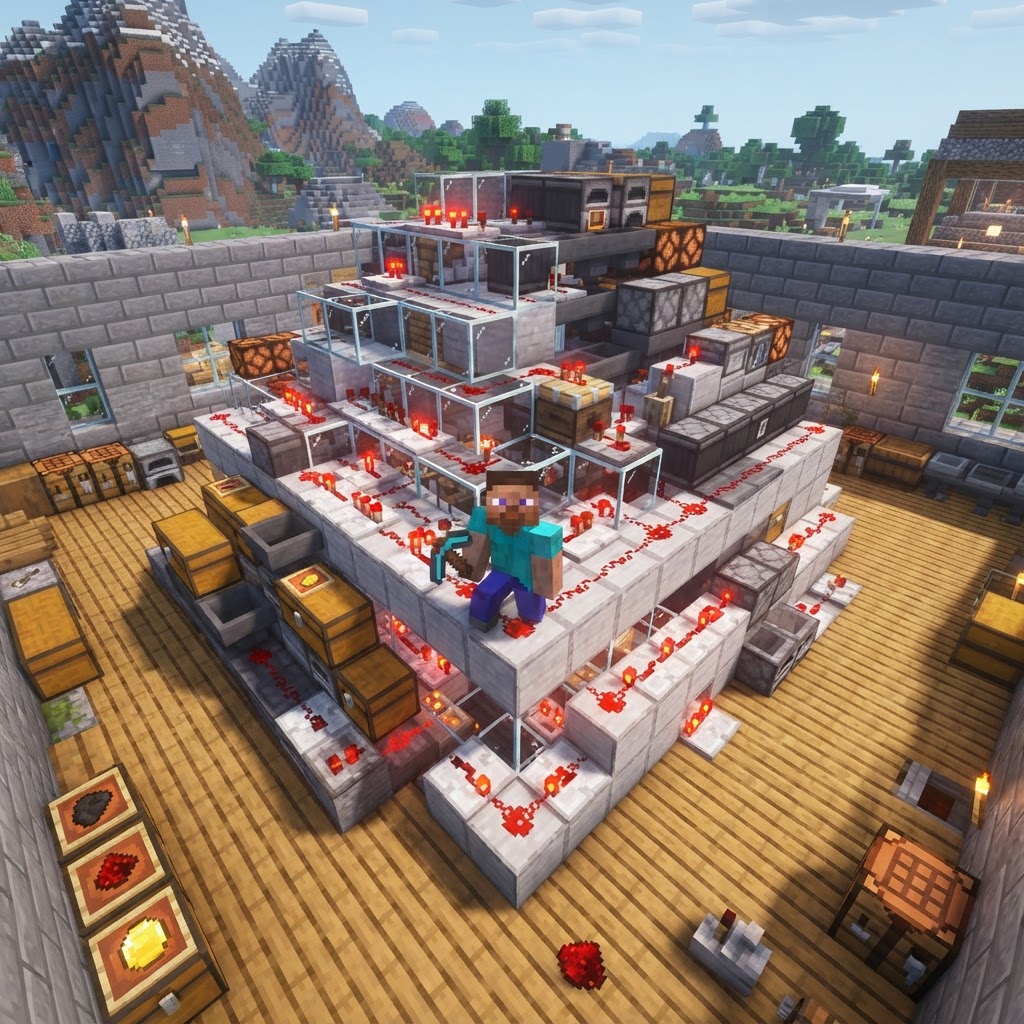
Building a chunk-safe item sorter is one of the most satisfying redstone projects in vanilla Minecraft — and one of the most misunderstood. This guide covers exactly how chunk loading affects sorter reliability, how to design a system that won't lose items or jam, and the specific techniques pros use to keep everything running smoothly across play sessions.
Why Most Item Sorters Break at Chunk Boundaries
Understanding the root cause saves you hours of debugging later.
Most vanilla item sorters fail silently. You walk away, the chunk unloads, and when you come back half your items are in the wrong chest or sitting in a hopper that stopped ticking. The culprit is almost always chunk boundary behavior.
Here's what actually happens:
- Hoppers only process items when their chunk is loaded. If a hopper sits on a chunk edge, it may tick on one side and freeze on the other — creating a one-way valve that backs up the entire system.
- Comparators lose their signal state when a chunk unloads mid-read. This can falsely trigger full-chest locks or leave sorter channels permanently closed.
- Item entities drop through unloaded chunk borders. Any system that relies on item drops (water streams, dropper arrays) is especially vulnerable.
- Map your chunks first. Press F3+G to display chunk borders. Your entire sorter — every hopper, comparator, and chest — must sit inside a single chunk, or you need explicit chunk loading for each additional chunk involved.
- Use a spawn-chunk anchor. The 16×16 area around world spawn (0,0) is always loaded. Building your sorter here, or within the spawn chunk radius, eliminates loading issues entirely for single-player worlds.
- Prefer hopper chains over item streams. Hoppers are entity-independent and process reliably. Water streams carrying items are not chunk-safe without careful timing alignment.
- Keep your main collection bus vertical, not horizontal. A vertical hopper column stays within the same chunk column, eliminating horizontal chunk-crossing risk.
- Use a dedicated input chest at the top. Items enter the system in one place. No direct-deposit into filter hoppers — that breaks sort order priority.
- Hoppers: ~60 (scales with category count)
- Chests: 20+ (1 input, 1 overflow, rest are sorted output)
- Comparators: 18
- Redstone Torches: 36
- Redstone Dust: ~40
- Named Items for Filters: 4 of each item type you want to sort
- Press F3+G and position yourself so your build area is fully inside one chunk boundary. Mark the corners with temporary blocks.
- Place your input chest at the top center of your build area. Below it, connect a hopper pointing down into a vertical hopper column — this is your main input bus.
- At each floor level where you want a sorting category, branch a hopper pointing sideways off the main column into your filter hopper assembly.
- Build the filter hopper pair: one hopper feeds into a second hopper that feeds into your output chest. The first hopper contains your filter items (see next section).
- Place a comparator reading out of the second hopper, feeding into a redstone torch inverter, which locks the first hopper with a solid block signal when the output chest is full.
- Continue down the column, repeating steps 3–5 for each category.
- At the bottom of the main column, place your overflow chest — anything unsorted lands here. This is your diagnostic indicator.
- Test with a full stack of each sorted item type before committing to the build permanently.
- Items landing in overflow for a sorted category: Your filter hopper slots aren't all filled with the target item. Check all five slots — one empty slot breaks the filter.
- Hopper lock never releases after chest empties: Comparator is reading a hopper with leftover items inside. Pull the filter items out and replace them to reset comparator state.
- Items vanishing between sessions: You've crossed a chunk boundary. Recheck with F3+G and either consolidate the build or add a force-load command.
- Sorter works solo but breaks on a server: Server hopper tick rate may be throttled. Ask your admin to check `hopper-amount` in `paper.yml` — a setting below 8 will slow your system and cause priority errors.
- Two item types sorting to the same chest: Your filter items for one channel include an item that shares a texture or ID with another channel's target. This happens with dyed items in older versions — use 1.20.4+ where each dye color has a unique item ID.
The fix isn't complicated — but it requires intentional design from the start, not as an afterthought.
Chunk-Safe Design Principles Before You Place a Single Block
These rules apply to every sorter you'll ever build.
Before touching redstone, lock in these non-negotiable design rules:
Building the Chunk-Safe Item Sorter: Step-by-Step
The exact build sequence, no assumptions about your skill level.
This design handles up to 18 item categories in a single chunk footprint. Materials you'll need:
Build steps:
Filter Hopper Setup: The Exact Item Configuration
This is where most tutorials give you wrong or incomplete information.
The filter hopper is the heart of your chunk-safe item sorter. Getting the item configuration wrong means items pass through to the wrong chest — or get sorted nowhere at all.
Standard 5-slot filter configuration:
| Slot | Contents | Purpose |
| 1 | 1× Target Item | Primary filter trigger |
| 2 | 1× Target Item | Redundancy |
| 3 | 1× Target Item | Redundancy |
| 4 | 1× Target Item | Redundancy |
| 5 | 1× Target Item | Keeps hopper from pulling non-target items |
Fill all five slots with one copy of your target item. The hopper can only hold one item per slot — incoming items of that type fill the slots and then immediately push through. Items of any other type find no empty slots and pass down to the next sorter.
Named filter items: To sort items with custom names (anvil-renamed gear, specific NBT items), standard filter hoppers won't distinguish them from unnamed versions. Use a comparator-based NBT checker only if you're running 1.20.4+, where comparator output values differ for named vs. unnamed items in specific contexts.
Overflow Protection That Actually Works
A sorter without overflow protection is just a disaster waiting to happen.
Overflow protection is non-negotiable for any production-grade chunk-safe item sorter. Here's a tiered approach:
Tier 1 — Chest-Full Lockout (Built into every channel):
The comparator + torch inverter from Step 5 handles this. When the output chest fills, the comparator fires, the torch flips, and the filter hopper locks. Items continue down the main bus to the next available category or overflow.
Tier 2 — Overflow Chest with Alarm:
At the bottom of your main bus, connect the overflow chest to a comparator feeding a note block or redstone lamp. When items land in overflow, the lamp lights — your visual indicator that a chest is full or an item type isn't being sorted.
Tier 3 — Bulk Overflow Shunting:
For high-throughput farms (iron farms, gold farms), add a second overflow chest connected via hopper to a large chest array (double chests in a row). This handles burst input without backing up the entire main bus.
| Protection Tier | Complexity | Best For |
| Chest-Full Lockout | Low | All builds |
| Overflow Lamp | Low-Medium | Active players |
Troubleshooting Your Chunk-Safe Item Sorter
Systematic fixes for the five most common failure modes.
Conclusion
A properly built chunk-safe item sorter is a cornerstone of any serious vanilla survival base. The principles here — single-chunk footprint, spawn-chunk placement, five-slot filter configuration, tiered overflow protection — aren't optional flourishes. They're the difference between a sorter that works for one session and one that works for an entire world. Build it right once, stress-test every channel, and you won't touch it again until you need to add a new category. That's the standard worth building to.
| Bulk Overflow Array | High | AFK farms, multiplayer |
RELATED ARTICLES

How to Make a Book in Minecraft: Easy Recipe & Uses
You're probably here because you just hit a wall — enchanting, writing, or crafting something advanced — and realized you need books but aren't sure how to get them efficiently. Books are one of Minec...
How to Make a Blast Furnace in Minecraft: Recipe & Uses
If you've been manually smelting ores one by one in a regular furnace, you're wasting serious time — the Minecraft blast furnace doubles your smelting speed for metals and ores, making it one of the m...
How to Make a Smoker in Minecraft: Recipe & Uses
If you're tired of waiting forever for your food to cook in a standard furnace, the smoker is the upgrade you didn't know you needed. It cooks food items at exactly twice the speed of a regular furnac...
STAY UPDATED
New blog posts, guides, and community tips delivered to your inbox.
No spam. Unsubscribe anytime.
Comments (0)
No comments yet. Be the first to share your thoughts!

