
TABLE OF CONTENTS
Compact 1-Chunk Auto-Sorter: Advanced Redstone Guide
If you've spent any serious time playing Minecraft survival mode, you know the absolute chaos that comes with managing a sprawling storage system. Chests overflowing with cobblestone, diamonds buried under mountains of rotten flesh, and hours wasted just trying to find a single piece of iron ingot. That's where the magic of a 1-Chunk Auto-Sorter comes in — a brilliant, space-efficient solution that keeps your base organized without gobbling up half your world. Whether you're a redstone newbie just dipping your toes into automation or a seasoned engineer looking to optimize your build, this guide will walk you through everything you need to know to construct, understand, and customize a compact auto-sorter that fits entirely within a single 16x16 chunk.
What Is a 1-Chunk Auto-Sorter and Why Should You Build One?
Before we dive into the nitty-gritty of construction, let's talk about what makes a 1-Chunk Auto-Sorter so special compared to traditional sorting systems. In vanilla Minecraft, most sorting setups sprawl across dozens of chunks, creating massive underground warehouse complexes that are impressive but incredibly resource-hungry and chunk-load intensive. The 1-chunk design philosophy challenges that approach entirely.
Related reading: Ultimate Automatic Item Sorter for Survival (Compact Redstone), How to Set Up a Minecraft Server in 2026 — Complete Guide, Minecraft Education: Teaching Code Through Blocks
A 1-Chunk Auto-Sorter is exactly what it sounds like — a fully functional item-sorting system with multiple categories of storage, an input mechanism, and output routing, all contained within the boundaries of a single 16x16 chunk. The implications of this are enormous for your gameplay. Because all the machinery lives in one chunk, it only requires one chunk to be loaded at a time for full functionality. This dramatically reduces server lag, makes your base more efficient in multiplayer environments, and keeps your overall world tidier.
But beyond the technical benefits, there's something deeply satisfying about the elegance of a compact build. When you can accomplish the same organizational power that used to require a massive underground bunker — all within a tidy, contained space — it feels like a genuine engineering triumph. And in Minecraft, that feeling is absolutely priceless.
The Philosophy Behind Compact Redstone Design
The community has long celebrated compact redstone as an art form. Builders like Mumbo Jumbo, Ilmango, and countless other technical Minecraft creators have spent years refining the principle of "doing more with less." The 1-Chunk Auto-Sorter is the culmination of that philosophy applied to storage systems.
When you design within strict spatial constraints, you're forced to think creatively. You start stacking systems vertically instead of spreading them horizontally. You discover that a single line of hoppers can serve dual purposes. You learn how comparators can trigger logic gates that would otherwise require a dozen more components. These lessons don't just help you build better sorters — they make you a fundamentally better redstone engineer across every project you tackle.
Materials and Preparation: What You'll Need
Gathering materials is often the most daunting part of any large redstone project, so let's break down exactly what you'll need before you lay a single block. The exact quantities will vary depending on how many item categories you want to sort, but here's a solid baseline for a 24-channel 1-Chunk Auto-Sorter — enough to handle the most common items in a typical survival playthrough.
Core Redstone Components:
- Hoppers — approximately 80 to 100 (this is the bulk of your material cost)
- Comparators — 24 to 30
- Repeaters — 20 to 25
- Redstone Dust — 2 stacks or more
- Redstone Torches — 30 to 40
- Observers — optional but useful for certain filter designs
Storage and Structural Blocks:
- Chests — 48 to 60 (double chests for each category)
- Solid building blocks — 3 to 4 stacks (use a cheap material like stone or deepslate)
- Glass or slabs — for aesthetic finishing and preventing mob spawning on surfaces
Item Filters:
- Named items for each category (one named item per filter slot)
- At least 4 stackable items per filter slot to properly lock the hopper
The single most expensive component here is hoppers. Each hopper requires 5 iron ingots and a chest, so for a 24-channel system you're looking at a substantial iron investment — easily 400+ iron ingots. Plan your mining trips accordingly, or set up an iron farm before tackling this project. If you're playing on a fresh world, it might make sense to start with a smaller 12-channel version and expand later.
Choosing Your Location and Orientation
Location matters more than most players realize when building a 1-Chunk Auto-Sorter. Since the goal is to fit everything within one chunk, you need to first locate and mark your chunk boundaries. You can do this by pressing F3+G in Java Edition, which displays chunk borders as visible lines in the world. Pick a chunk that has easy access from your main base, ideally near your smelter array or mining drop-off point.
Orientation is equally important. You'll want to decide early on whether your sorter will be primarily horizontal (spreading outward) or vertical (building downward into the ground). Most efficient 1-Chunk Auto-Sorter designs go underground, carving out space from y-level 60 or so down to bedrock level. This keeps the surface of your base clean and gives you ample vertical space to work with the multi-layer architecture these systems require.
Once you've chosen your chunk and cleared the space, mark the four corners with a distinct block so you never accidentally build outside the boundary. Trust me — building one block outside the chunk and discovering it during testing is one of the most frustrating experiences in Minecraft engineering.
Understanding the Core Mechanics of Item Sorting
To build a great 1-Chunk Auto-Sorter, you need to understand the underlying mechanics that make the whole system work. Don't skip this section — even if you've built sorters before, understanding the "why" behind each component will help you troubleshoot problems and make intelligent customizations.
Hopper Mechanics
Hoppers are the backbone of any sorting system. They pull items from containers above them and push items into containers below or in front of them. Critically, a hopper can be locked using a redstone signal — when a comparator sends a signal to a hopper, it stops transferring items. This is the fundamental mechanism that makes item filtering possible.
Comparator-Based Item Filters
The most common filter design uses a comparator to detect when a specific item is present in a hopper. Here's how it works: you fill four of a hopper's five slots with a "dummy" named item (naming the item via anvil prevents it from stacking with legitimate versions of that item), leaving one slot open for actual items to flow through. A comparator reading this hopper will output a signal based on how full the hopper is.
When the correct item flows in and occupies that fifth slot, the comparator's output changes. This signal change can be used to either lock the next hopper in line (forcing the item to fall into the correct chest) or unlock a pathway to a specific storage area. The exact logic depends on your design variant, but this comparator-hopper interaction is universal to nearly every sorting system in the game.
Item Flow Direction
In a standard sorter, items enter through a central input (usually a chest connected to a dropper or hopper chain), then flow along a main sorting line. As items pass each filter station, the filter checks whether the item matches its designated type. If it matches, the item gets diverted into the appropriate chest. If it doesn't match, it continues down the line to the next filter. At the end of the line, any unsorted items fall into an overflow chest.
Understanding this linear flow helps you plan your chunk layout. You want your main sorting line to run along the longest axis of your chunk, maximizing the number of filter stations you can fit.
Step-by-Step Construction of Your 1-Chunk Auto-Sorter
Now let's get into the actual building process. We'll construct a functional, expandable 1-Chunk Auto-Sorter using a modified comparator filter design that's both reliable and relatively simple to build. I'll break this into phases so you can stop and test at each stage.
Phase 1: Laying the Foundation
Start by digging out your underground space. You'll want a chamber approximately 16 blocks wide, 16 blocks long, and 10 to 12 blocks tall. Light it well — you do NOT want creepers interrupting your build. Place torches liberally, or better yet, use sea lanterns or shroomlights for a clean, well-lit workspace.
Along one wall, mark out your chest positions. For a 24-channel sorter, you'll have 24 double chest positions, each elevated on a block so a hopper can feed into them from below. Stagger them in two rows of 12 if width allows, or run them in a single row along the perimeter of the chunk.
Phase 2: Building the Hopper Chain
This is where most of your hoppers go. Build the main sorting line as a chain of hoppers running end to end across the bottom of your chamber. Each hopper in this line should face the next one — you can verify this by crouching and placing each hopper while targeting the side of the previous one. The chain should run the full length of your sorting area.
Above this main chain, you'll add your filter stations. Each filter station consists of:
- One "filter hopper" containing your dummy items in 4 slots
- One comparator reading the filter hopper
- One output hopper connecting to the appropriate chest
- Redstone wiring connecting the comparator output to lock/unlock the relevant hopper
Take your time on this phase. Misaligned comparator directions are one of the most common building errors, and they're easy to miss. Every comparator should face away from the hopper it's reading.
Phase 3: Input System and Overflow
With your sorting line in place, it's time to build the input. A double chest connected to a hopper at the start of the sorting line serves as your main input point. Items you dump in here will automatically flow into the sorting line and get distributed.
At the far end of your sorting line, connect a hopper leading to an overflow double chest. Any items that don't match any filter will end up here. This prevents items from getting stuck in the system and causing backups.
Phase 4: Testing and Calibration
Before you declare victory, test every single channel. Throw in exactly one of each item type and watch where it ends up. Common issues include:
- Items going to the wrong chest (usually a comparator facing the wrong direction)
- Items not being sorted at all (usually a locked hopper that should be unlocked)
- System backups (usually a full chest blocking a hopper)
Fix issues methodically, one channel at a time. Label your chests with item frames and the actual items as you confirm each channel works correctly.
Advanced Customizations and Expansions
Once your base 1-Chunk Auto-Sorter is running smoothly, the real fun begins. There are countless ways to enhance and expand the system while staying within your chunk boundary.
Adding an Unstackable Item Sorter
Most standard comparator filters only work with stackable items. For swords, tools, armor, and other unstackable items, you'll need a modified design using a different filter mechanism — typically a dropper-based system that checks items individually before routing them. Dedicating a small section of your chunk to an unstackable sorter alongside your main system creates a truly comprehensive storage solution.
Automatic Smelting Integration
Connect your 1-Chunk Auto-Sorter directly to your smelting array. Raw ores can be automatically routed from your sorter into furnace input hoppers, and the smelted ingots can be routed back into the sorter. This creates a fully automated ore processing pipeline that requires zero player intervention beyond the initial ore drop-off.
Status Indicators
Use redstone lamps connected to comparator outputs from your chests to create a visual "dashboard" showing which storage categories are getting full. Mount this panel near your input chest so you can see at a glance when it's time to unload or use certain materials.
Shulker Box Loading
For advanced players, you can integrate a shulker box loading system that automatically packs full stacks of items into shulker boxes when a chest reaches capacity. This dramatically extends the effective storage of your 1-Chunk Auto-Sorter without adding any physical footprint.
Common Problems and How to Fix Them
Even experienced builders run into issues with sorting systems. Here are the most frequent problems you'll encounter with your 1-Chunk Auto-Sorter and their solutions.
Problem: Items Accumulating in the Input Chest
This usually means the sorting line isn't moving items fast enough, or a downstream hopper is locked when it shouldn't be. Check your comparator directions and ensure no chest is completely full and blocking its hopper.
Problem: Items Going to the Wrong Chest
A misaligned comparator is almost always the culprit. Double-check that every comparator is pointing away from (reading) the correct filter hopper and that your redstone wiring isn't accidentally sending signals to the wrong hoppers.
Problem: The System Works for a While, Then Stops
This is usually a timing issue, particularly on multiplayer servers with variable tick rates. Add repeaters to your redstone lines to extend signal timing and create more reliable pulse widths.
Problem: New Item Types Breaking Existing Filters
This can happen if your dummy items aren't properly named. Unnamed items can sometimes stack with real items, causing filter contamination. Always use an anvil to give each dummy item a unique name before loading your filters.
Why the 1-Chunk Auto-Sorter Is a Game-Changer for Your Survival World
After everything we've covered, it should be crystal clear why the 1-Chunk Auto-Sorter deserves a place in every serious Minecraft survival base. It's not just about organization — though the organizational benefits alone are transformative. It's about playing smarter, building more efficiently, and spending your actual gameplay time on the things that are fun: exploring, building, adventuring, and creating.
Every minute you spend NOT digging through unsorted chests is a minute you can spend doing something genuinely exciting. The investment you make building your 1-Chunk Auto-Sorter — the iron, the time, the mental effort of understanding the redstone — pays dividends for every single session you play afterward.
There's also something wonderful about what this build teaches you. The spatial constraints of a single chunk force you to think in three dimensions, to stack systems creatively, and to truly understand the mechanics behind every component you place. Players who build compact systems consistently become better Minecraft engineers than those who sprawl indefinitely. The discipline of constraint breeds creativity.
The Minecraft technical community has spent years refining designs like this one, sharing knowledge freely and building on each other's innovations. When you build your own 1-Chunk Auto-Sorter, you're participating in that tradition — taking proven engineering concepts, adapting them to your specific world and needs, and potentially discovering improvements that you'll share with others in turn.
So grab your iron, fire up your anvil, and get building. Your storage room will never be the same, and honestly? Neither will your approach to redstone. The 1-Chunk Auto-Sorter isn't just a project — it's a gateway build that opens up a whole new level of Minecraft gameplay. Happy crafting, and may your chests always be perfectly sorted! 🎮⚙️
RELATED ARTICLES

How to Make a Book in Minecraft: Easy Recipe & Uses
You're probably here because you just hit a wall — enchanting, writing, or crafting something advanced — and realized you need books but aren't sure how to get them efficiently. Books are one of Minec...
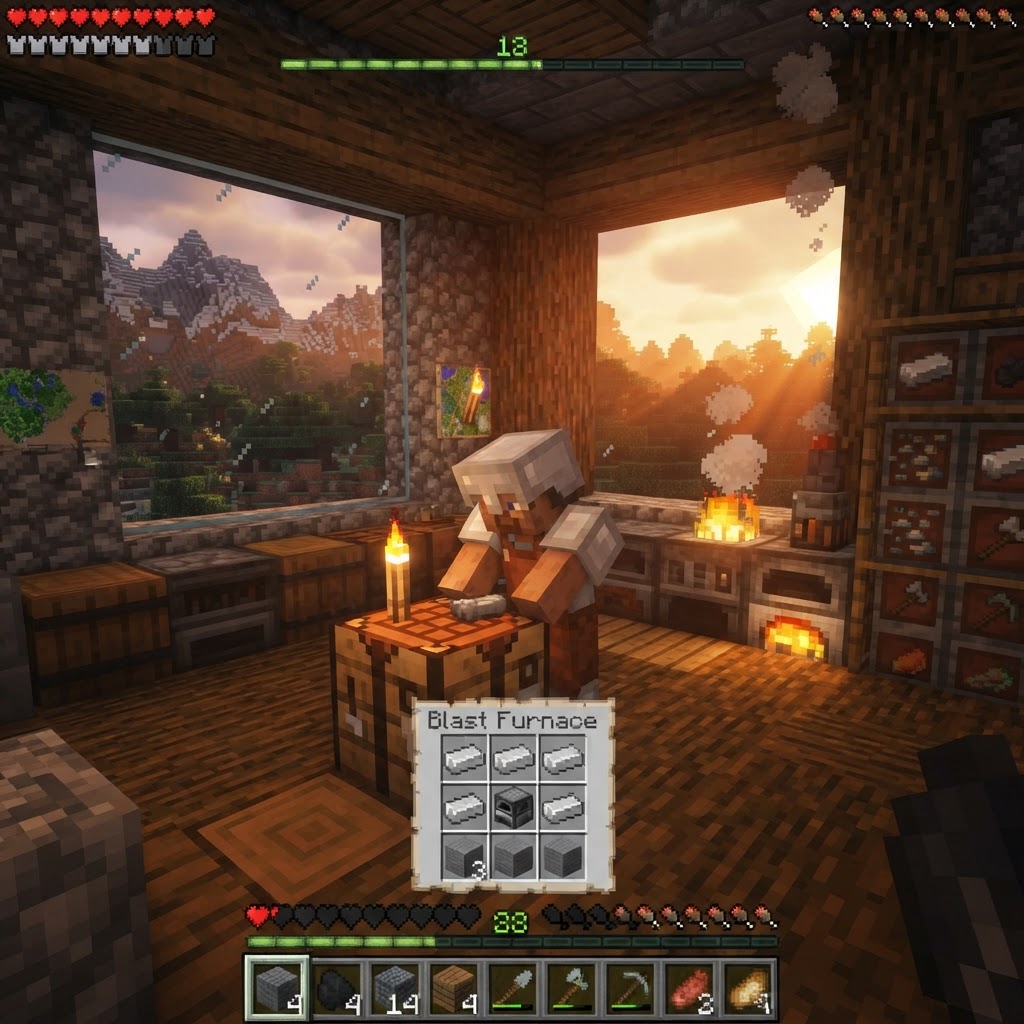
How to Make a Blast Furnace in Minecraft: Recipe & Uses
If you've been manually smelting ores one by one in a regular furnace, you're wasting serious time — the Minecraft blast furnace doubles your smelting speed for metals and ores, making it one of the m...
How to Make a Smoker in Minecraft: Recipe & Uses
If you're tired of waiting forever for your food to cook in a standard furnace, the smoker is the upgrade you didn't know you needed. It cooks food items at exactly twice the speed of a regular furnac...
STAY UPDATED
New blog posts, guides, and community tips delivered to your inbox.
No spam. Unsubscribe anytime.
Comments (0)
No comments yet. Be the first to share your thoughts!

